Journals, Lists, and Routines for Thriving Every Day

The fastest way to capture your day — and the simplest way to run it. Use your voice in the car, and your keyboard in a meeting. Completely private, no account required.

iPhone & Apple Watch · Free · No account
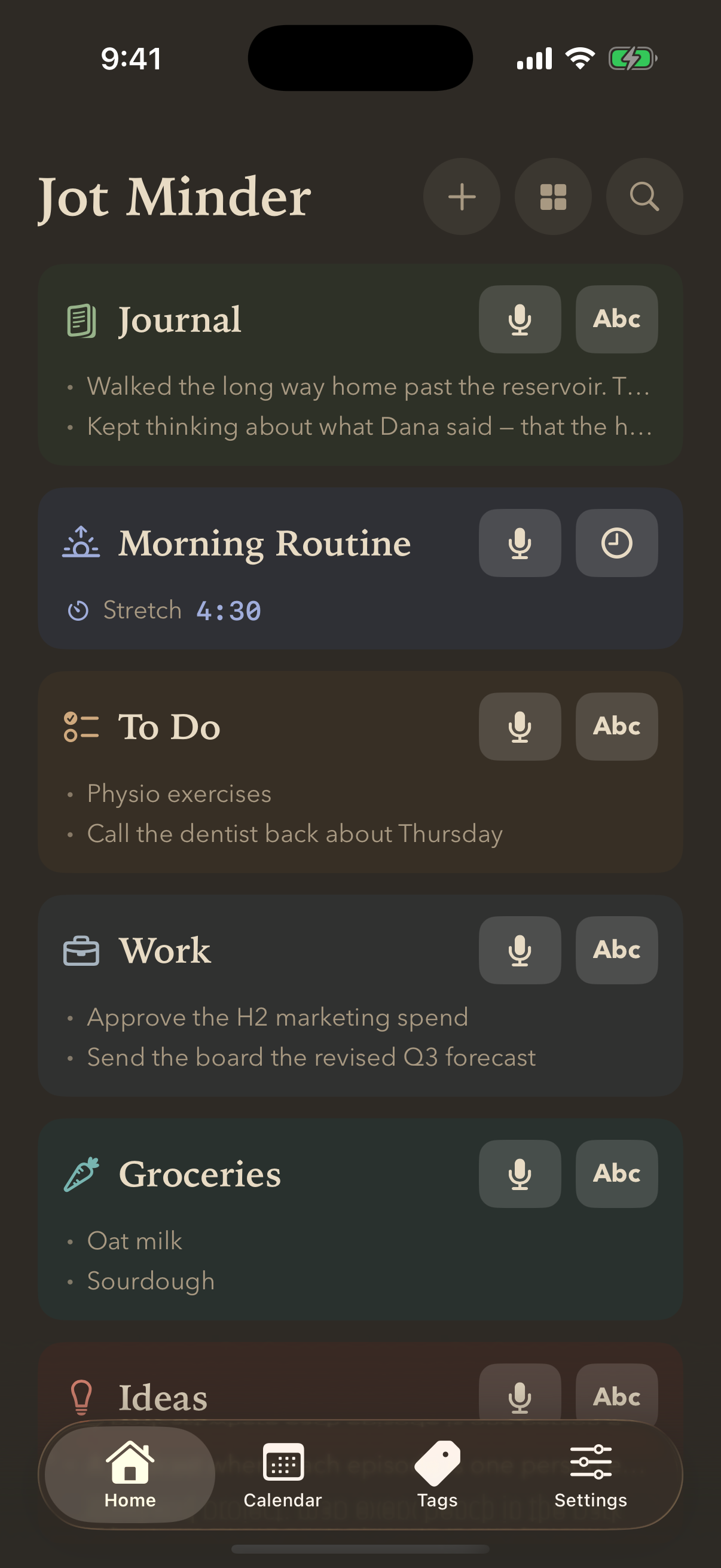
Jot Minder home screen with a morning routine counting down and lists for Journal, Today, Groceries and Ideas

No signup. No subscription. No catch.

Open it and start — there's nothing to sign up to and nothing to pay. Your memos live on your phone, and you can back them up to iCloud, Dropbox or Google Drive whenever you like: your accounts, your files.

  • iCloud
  • Dropbox
  • Google Drive

Spend a day with Jot Minder.

From the time you wake up until the time you go to bed, Jot Minder is always there to help you get the most out of your day and never forget a thing.

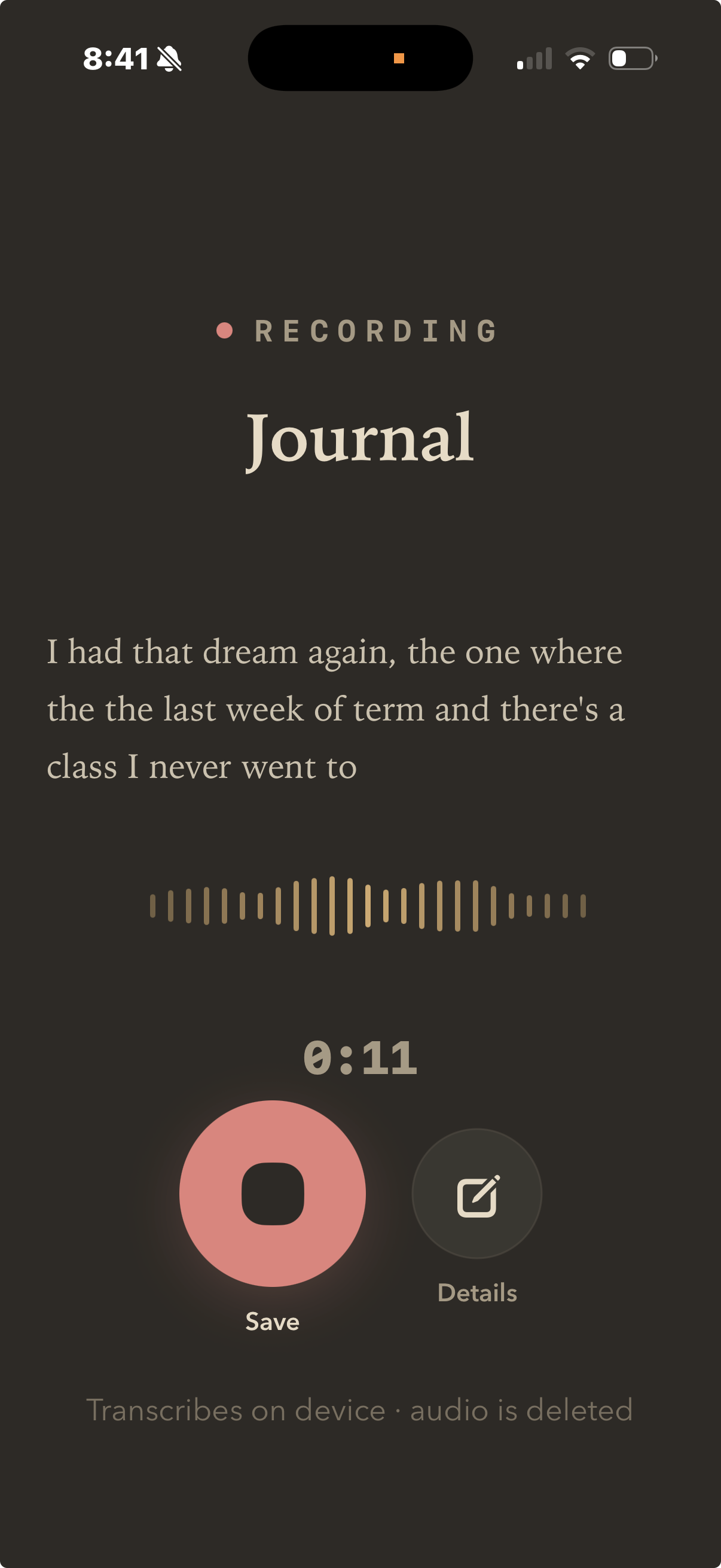
The recording screen capturing a memo into Journal: live transcription of a dream, a waveform, eleven seconds elapsed, and a note that it transcribes on device and deletes the audio

6:12AM

Talk about your dream before it's gone.

Everyone has this one — the class you never went to all semester. Worth keeping the version your brain served up at 6am, before you tidy it into an anecdote.

No unlocking, no hunting for an app. Hold the microphone and talk; the words appear as you say them. Typing that would have taken longer than the dream lasted.

It transcribes on the device and throws the audio away — the recording never existed anywhere you'd have to trust.

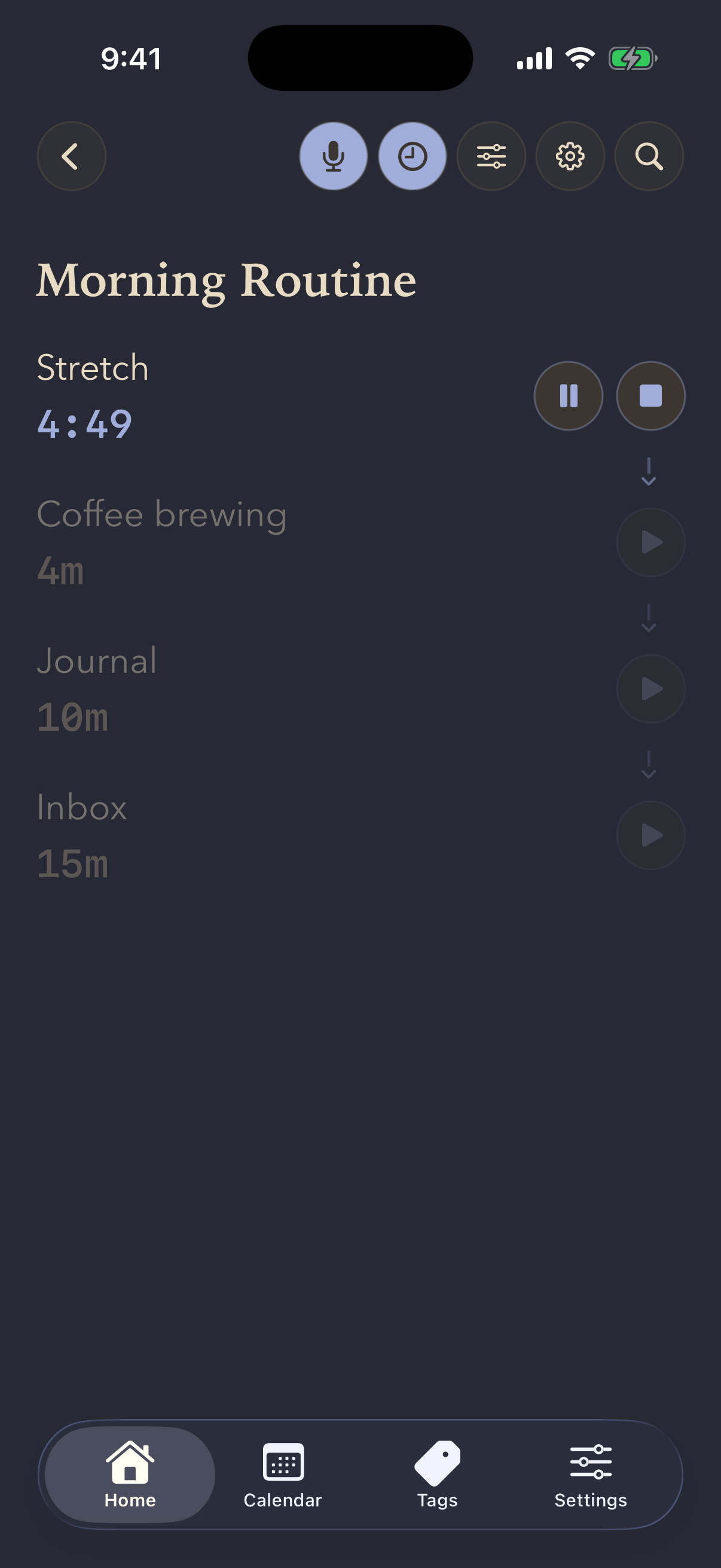
A morning routine running: Stretch counting down from five minutes, then Coffee brewing, Journal and Inbox queued behind it

6:40AM

Create a list of timers and crush your morning routine.

Every item is a timer rather than a note: five minutes stretching, four for the coffee, ten to journal, fifteen on the inbox. Set it once and you never plan a morning again.

Then press play. It works down the list on its own, chiming at each step and saying what's next out loud — no deciding, no clock-watching, no picking the phone back up. You just do the thing in front of you, and the morning is done before most people have found their keys.

  1. You

    “Hey Siri, record a Jot Minder.”

  2. Siri

    “Go ahead.”

  3. You

    “Get Mum flowers for her birthday.” — then you stop talking.

  4. “Saved.”

The app never opened. It landed in whichever list you set quick capture to — the same one your watch sends to.

8:05AM

Halfway to work, you remember the flowers.

Your mum's birthday is a week on Wednesday, you're doing seventy in the middle lane, and this is exactly the kind of thing that gets remembered twice and done never.

You can't type and you shouldn't be looking at a screen — so you don't. Siri puts it straight into your quick-capture list without the app ever opening, and it's waiting when you get to your desk.

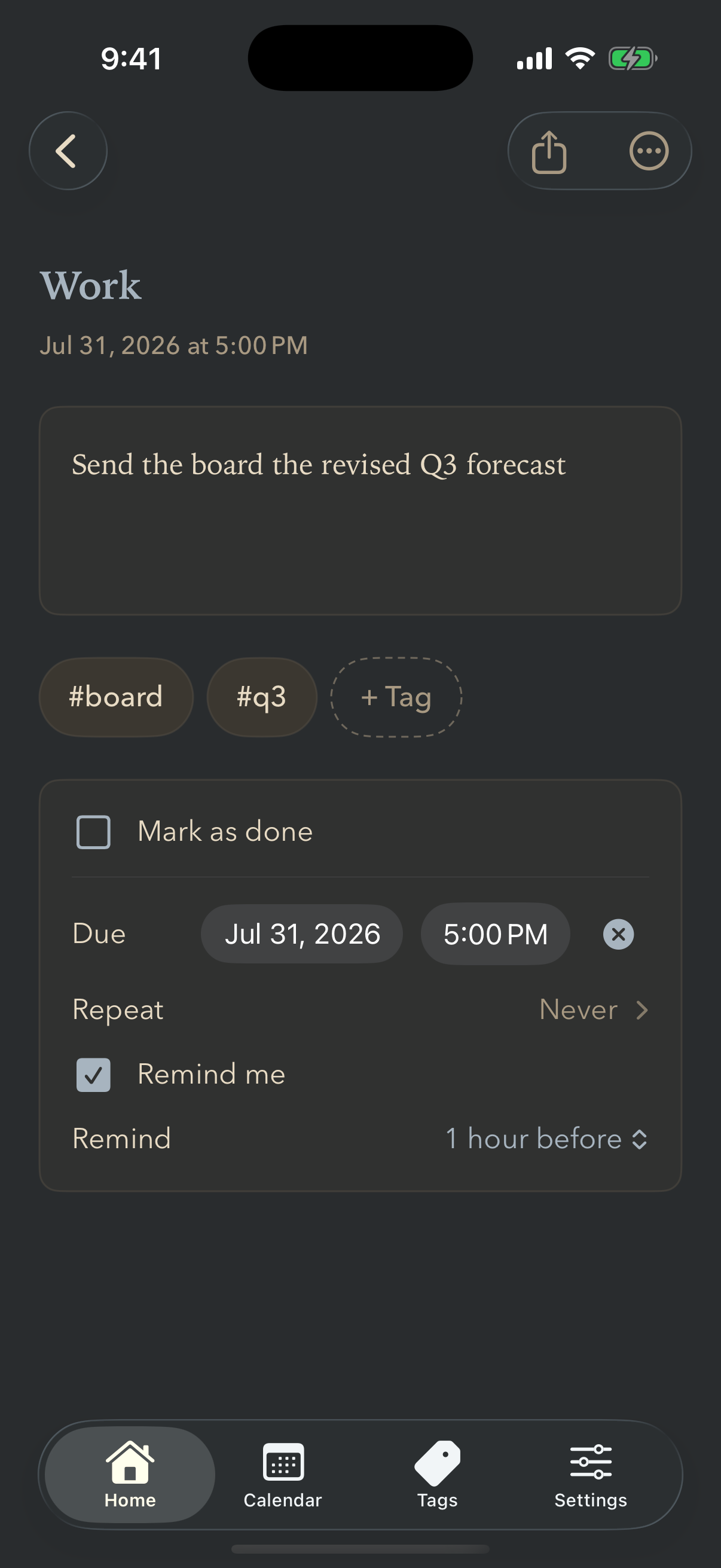
A work task reading Send the board the revised Q3 forecast, tagged board and q3, due July 31 at 5pm with a reminder an hour before

11:20AM

In a meeting, where you can't say a word.

Two taps, type it, tag it, done. Eight seconds, and nobody across the table notices.

The tags are the part that pays off later. #board and #q3 aren't folders — they're threads. When you sit down to build the board pack on Thursday, everything tagged #board comes back together, whether it started here, in Ideas, or as something you said out loud in the car.

And the reminder means you stop carrying the deadline around. Friday at five, nudged an hour before — early enough to actually do the thing, rather than early enough to feel bad about it.

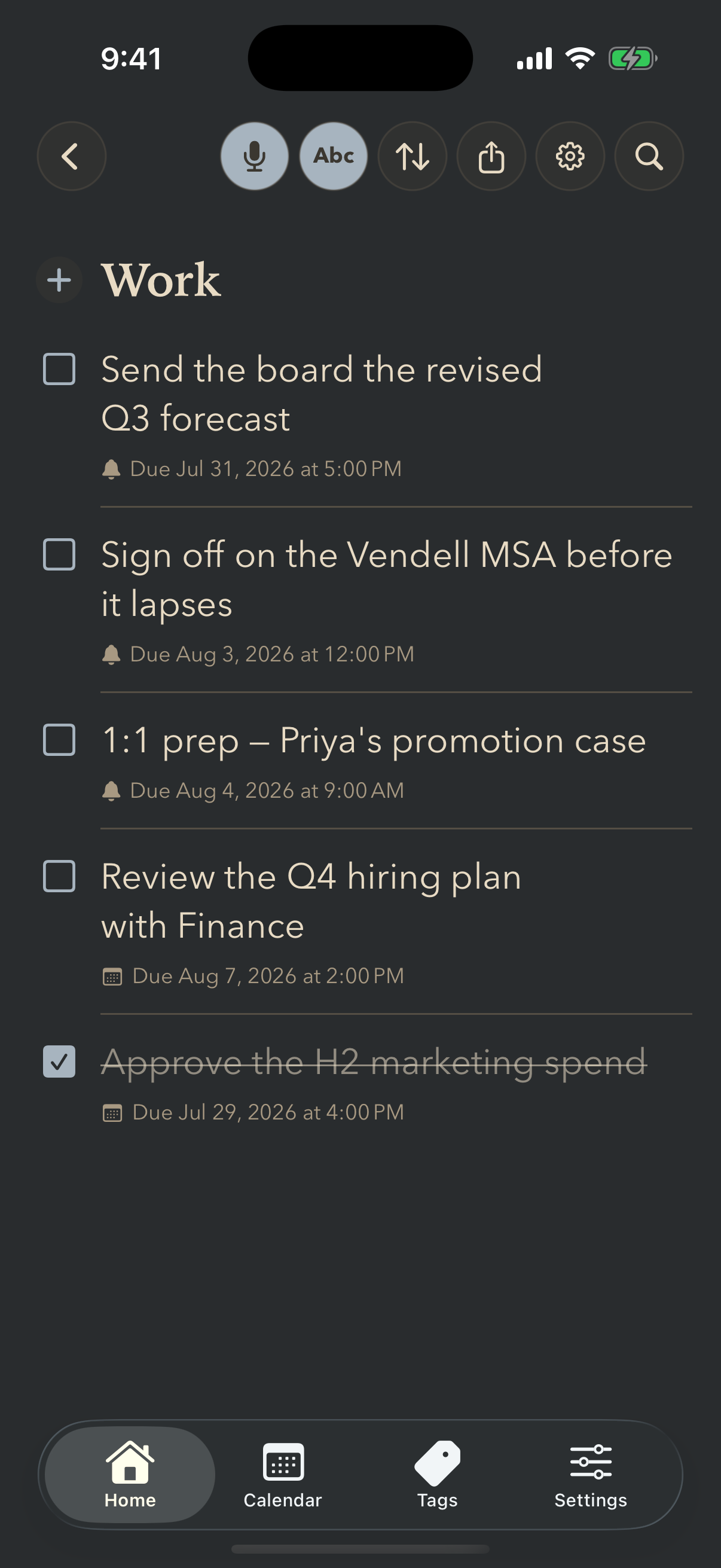
A Work checklist in slate: board forecast, vendor contract, one-to-one prep and hiring plan, each with a deadline, and an approved item struck through

3:10PM

Back at your desk, working the list down.

Nearest deadline at the top, overdue in red, finished things sunk out of sight. You never sort it — the list already knows what's urgent.

That's the difference between a list you keep and a list you stop opening.

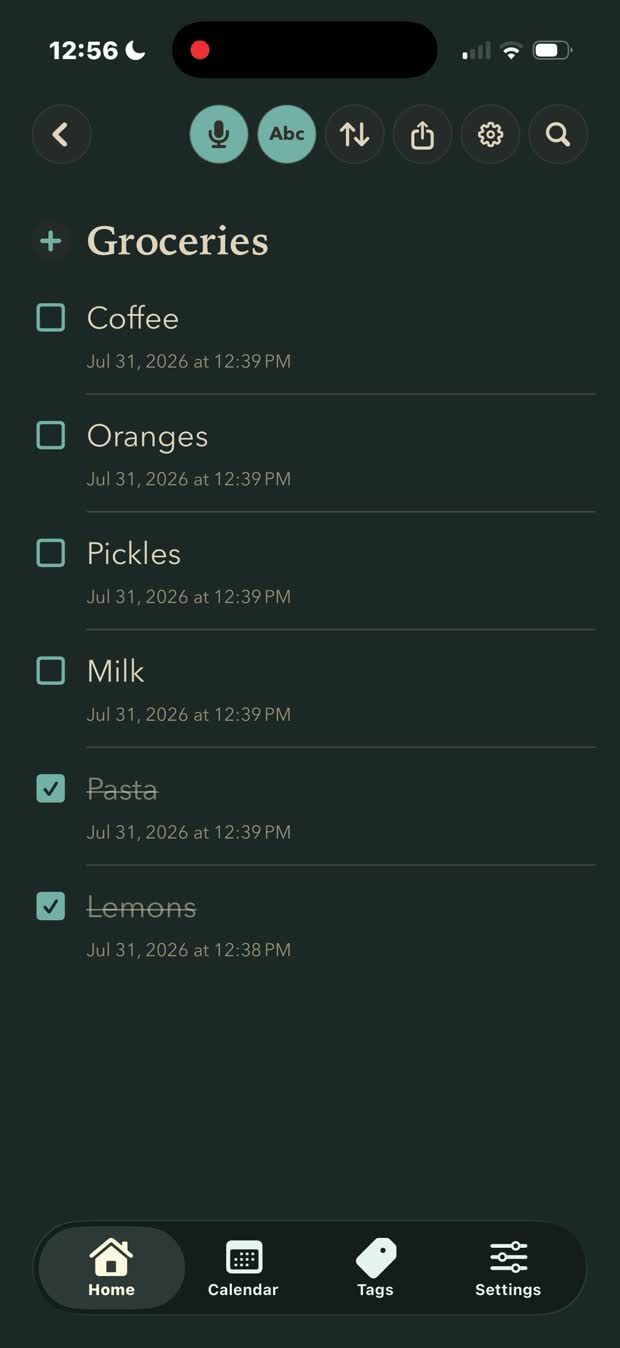
A teal Groceries list: typing eggs into it and the item appearing at the top

5:45PM

Then you remember: eggs.

Mid-task, nothing to do with work, and gone in ten seconds if you don't catch it. Two taps into Groceries — or just say it — and it's out of your head without losing your place.

He's already at the shop, so you send him the list as plain text. What's in the cupboard stays behind: nobody wants a shopping list with half of it crossed out.

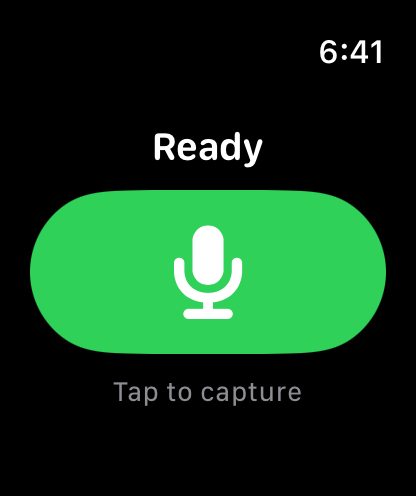
Jot Minder on Apple Watch: a large green microphone button labelled Ready, Tap to capture

6:25PM

On your run, inspiration strikes.

Good ideas never wait for a convenient moment. Six kilometres in, phone on the kitchen table, and there it is — the whole thing, fully formed, and already starting to go.

One tap on your wrist, say it, keep running. You don't break stride, and by the time you're home it's written down instead of being the idea you know you had and can't get back.

No phone needed, no signal needed. It waits on the watch and lands in your list the moment you're through the door.

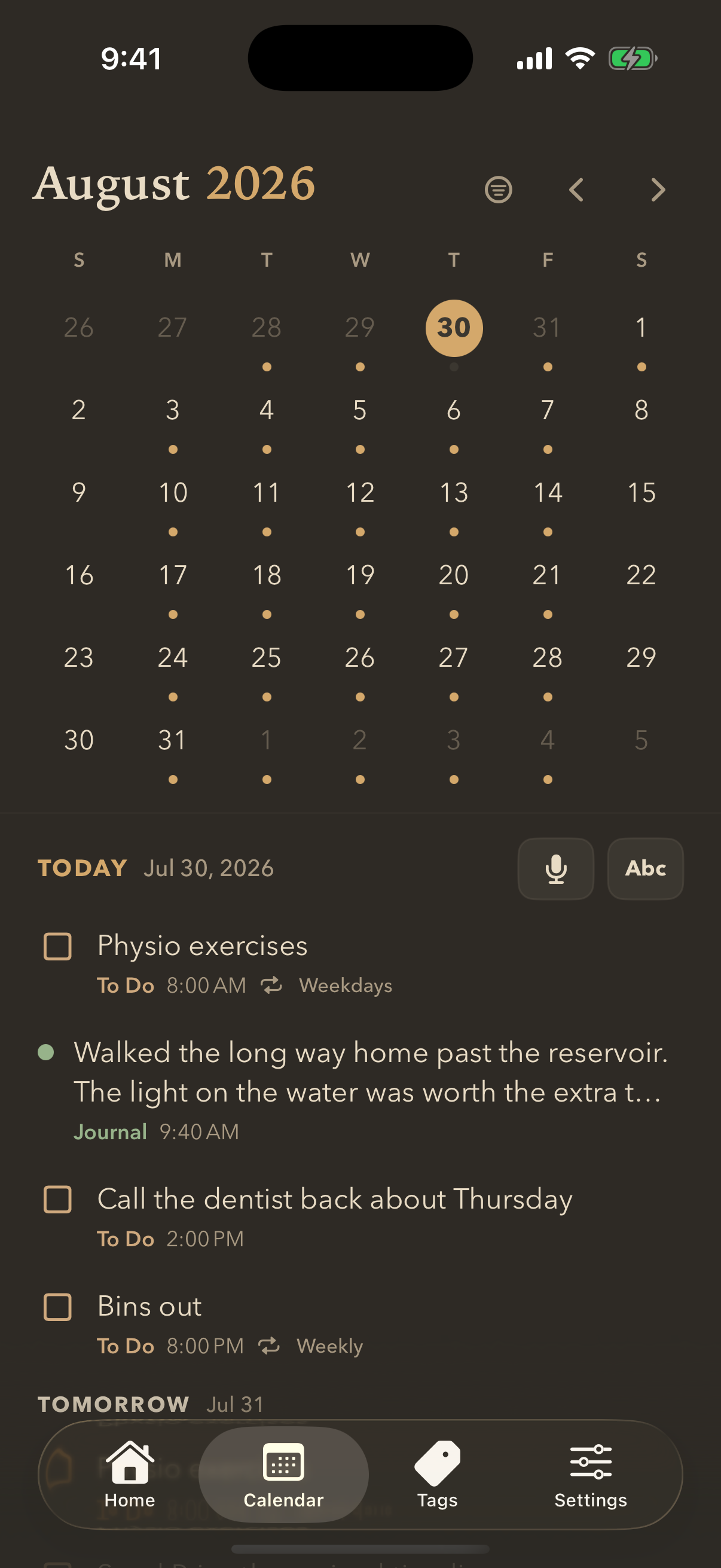
A calendar showing today's entries — physio, a journal note, the dentist call, bins out — with tomorrow listed underneath

10:15PM

Today and tomorrow, on one screen.

Everything you caught today, in the order it happened: the dream at six, the forecast at eleven, the eggs at quarter to six. A day you'd otherwise only half remember.

And tomorrow sitting right underneath it, already filled in. Each entry wears its list's colour, so you can tell in a second whether tomorrow is mostly work or mostly life — before you've closed your eyes on today.

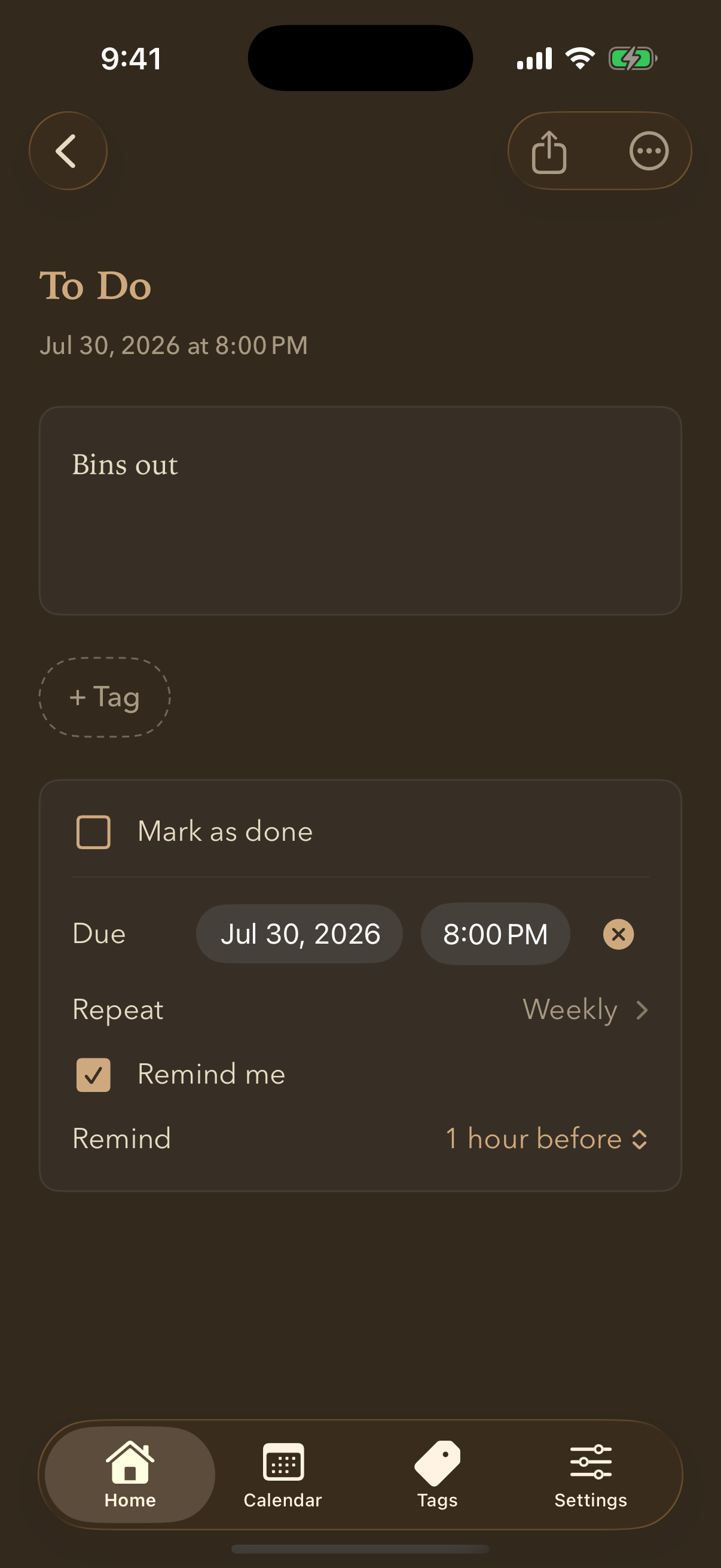
A task called Bins out, with a due date of 8pm, Repeat set to Weekly, Remind me ticked, and a reminder one hour before

Some things are never done. They just come round again.

Bins on Thursday, physio every weekday, your mum's birthday every August. Set them once and stop carrying them around in your head — the list remembers, and tells you before it matters.

Repeats

Daily, weekdays, weekly, monthly, or the same date every year. Tick one off and the next one is already waiting.

Reminders that land early

Not at the deadline — before it. Ten minutes, an hour, a day ahead, whatever gives you time to actually do the thing.

Overdue, in red

A notification you missed shouldn't vanish. Anything past its time stays at the top and stays red until you deal with it.

And every repeat shows up on the calendar.

Not just the next one — all of them. Scroll into next month and the weekdays already have physio on them, the Thursdays already have the bins.

Each entry wears its list's colour, so a glance tells you whether a day is full of work, errands, or nothing much at all.

August 2026 with dots on every weekday from repeating tasks, and the day's entries below showing Physio exercises repeating on weekdays and Bins out repeating weekly

Lists that do more.

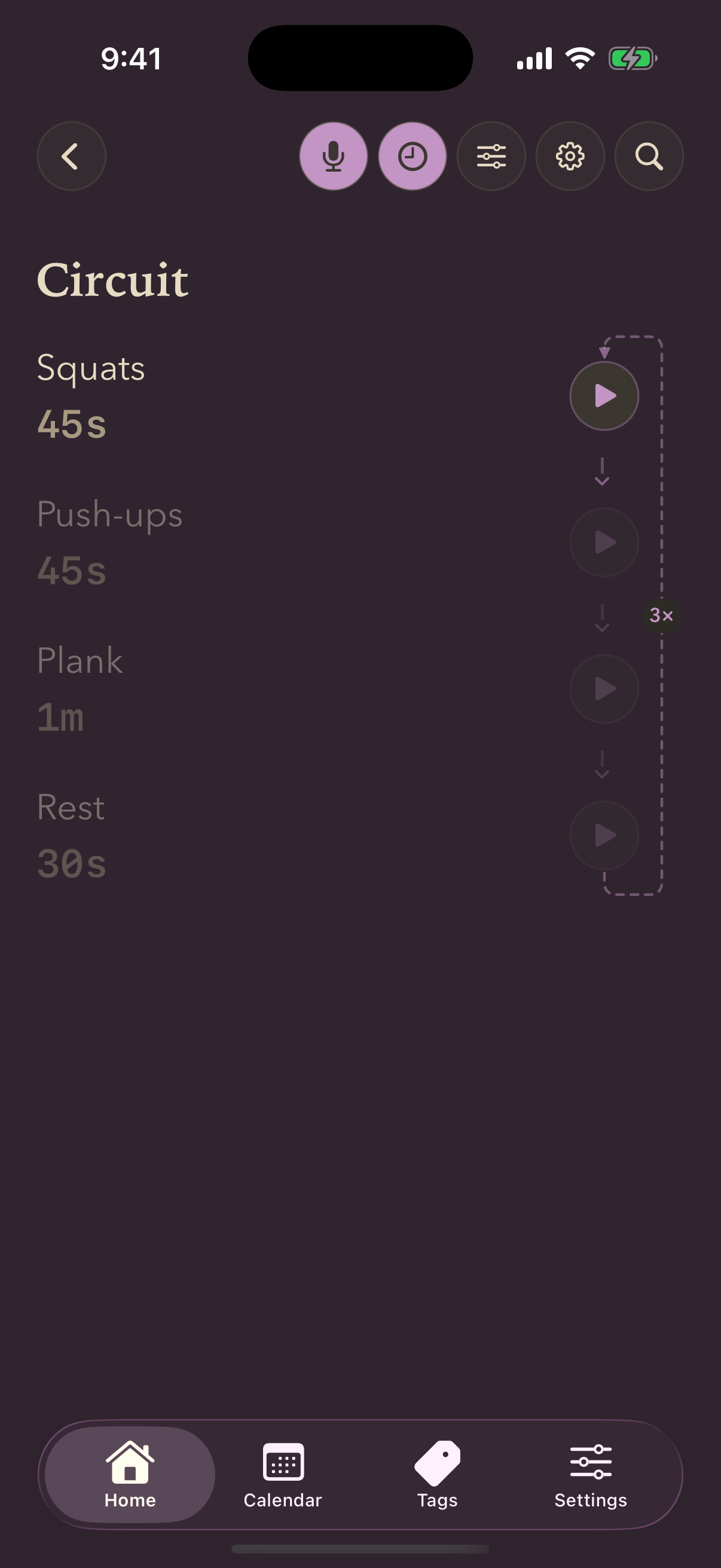
Turn a list into an exercise routine: give each exercise a duration and repeat it three times. It stops being a list of exercises and becomes the workout — counting down, calling each move out loud, keeping count of the rounds so you don't have to.

Notes
Get out of the way. No checkboxes, no dates — nothing on the page but the words on it.
Checklists
Chase you. Due dates, repeats and reminders, urgent things first, finished things sunk out of sight.
Timers
Run themselves. Chain the steps, loop the whole thing — three rounds of a circuit, eight of a Tabata — and press play once.
A timer list called Circuit: squats, push-ups, plank and rest chained together, with a looping path down the right side marked three times
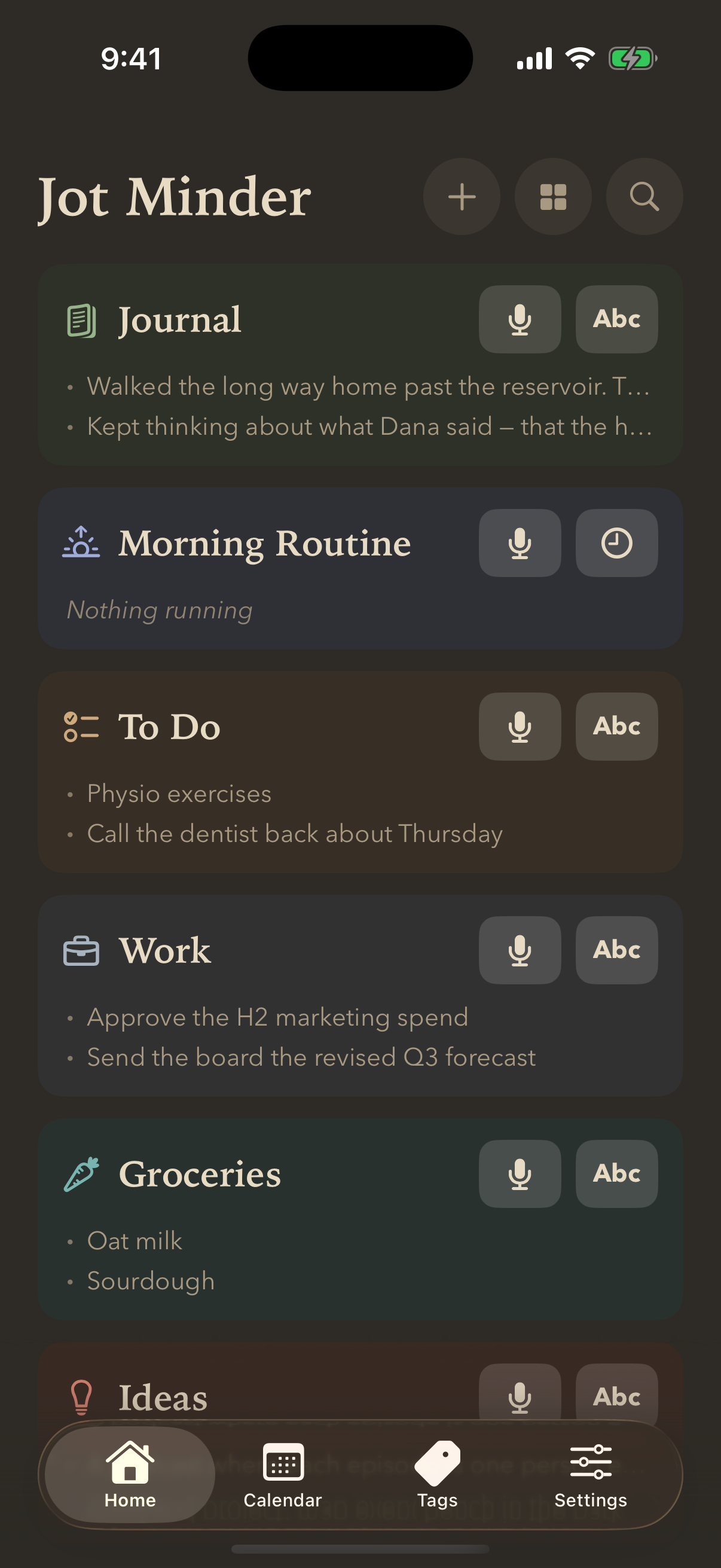
The home screen with six lists — Journal, To Do, Groceries, Ideas, Morning Routine and Tabata — each in its own colour with a microphone and Abc button

A colour each, and two ways in — from every screen.

Pick from eight colours and a deep bench of icons. The colour isn't decoration: it carries through the list, its entries, its calendar dots and its widget, so you always know where you are and where a thing landed.

And every list carries its own microphone and Abc right there on the home screen — so adding to Groceries never means opening Groceries. The same pair sits on the calendar and on every list's own page. For the list you reach for most, put a widget on your Home Screen, or map the Action Button to it and just squeeze.

The rest is quiet housekeeping. Tags cut across lists when a subject refuses to respect them. Sorting is set per list, because a shopping run and a diary don't want the same order. And search reaches every word in every list — including the ones you only ever said out loud.

Backed up wherever you want it. Or nowhere at all.

Staying off our servers doesn't mean going without a safety net. You pick where the copies go, using accounts you already have — and you can pick more than one.

They're plain, open files. You could open one on a laptop years from now without this app — or us — still being around. Change phones, change your mind, delete it tomorrow: the writing is yours, and it outlives whatever we do next.

The next thought you have is worth keeping.

Say it or type it. It'll be there when you look.

Download on the App Store

Requires iPhone. Apple Watch app included.